Precision Teaching Infrastructure
CLASS
MAN
The ruthless scheduler for high-volume educators.
Zero confusion. Complete visibility. Every batch, every session, every day.
Platform Modules
Everything you
need to teach
Scheduler
Weekly and monthly views of all your sessions across every batch. Completions, postponements, and timing — unified.
Batches
Organize students into batches with custom schedules, durations, and color codes. Every batch gets its own calendar.
Analytics
Deep diagnostics on completion rates, postponement frequency, and delay trends across your entire operation.
Public Access
Built for
Students Too
Share your schedule publicly. Students can browse batches or look up their schedule with a code — no login required.
Public Batches
A public-facing directory of all batches. Students can browse every active and completed batch, view the weekly schedule, days, timings, progress, and access classroom or group links.
- Browse all active & completed batches
- View days, timings & course duration
- See progress & remaining sessions
- Access classroom & group links
Schedule Lookup
Students enter a unique schedule code shared by their instructor to instantly access their batch schedule — complete with session calendar, timings, resources, and upcoming classes.
- Enter code to access your schedule
- Instant validation & redirect
- Full monthly calendar view
- Upcoming sessions at a glance
Courses
A public-facing catalog of every course curriculum. Students can explore the full module, topic, and subtopic breakdown of each course, visualized as a clean vertical timeline.
- Browse all available courses
- Modules, topics & subtopics
- Vertical timeline curriculum view
- Estimated days per topic
Live Schedule
When We're
Occupied
A live look at this week and next — only the busy time blocks, no class names or details. Times may shift with rescheduling.
Indicative availability only. These blocks mark times that are currently committed — exact slots may shift due to postponements or rescheduling. Class details are intentionally hidden.
Loading availability…
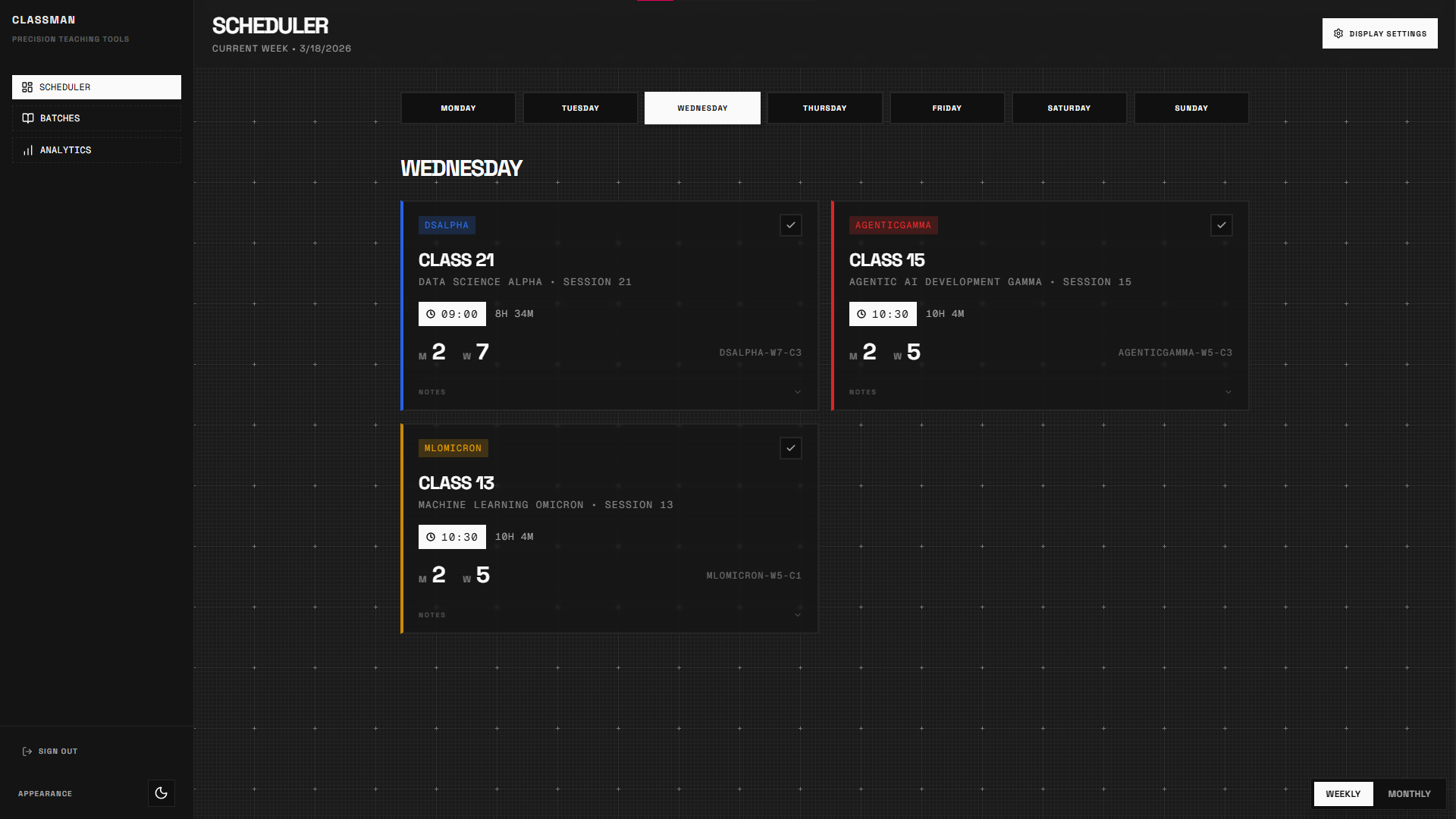
Weekly Command Center
Navigate your week with surgical precision. The weekly scheduler shows all classes across every batch in a single, unified view. Mark sessions as completed, track timing, and never lose track of where you are.
- Real-time class status tracking
- Cross-batch session visibility
- Toggle between weekly and monthly views
- Per-session notes and timestamps
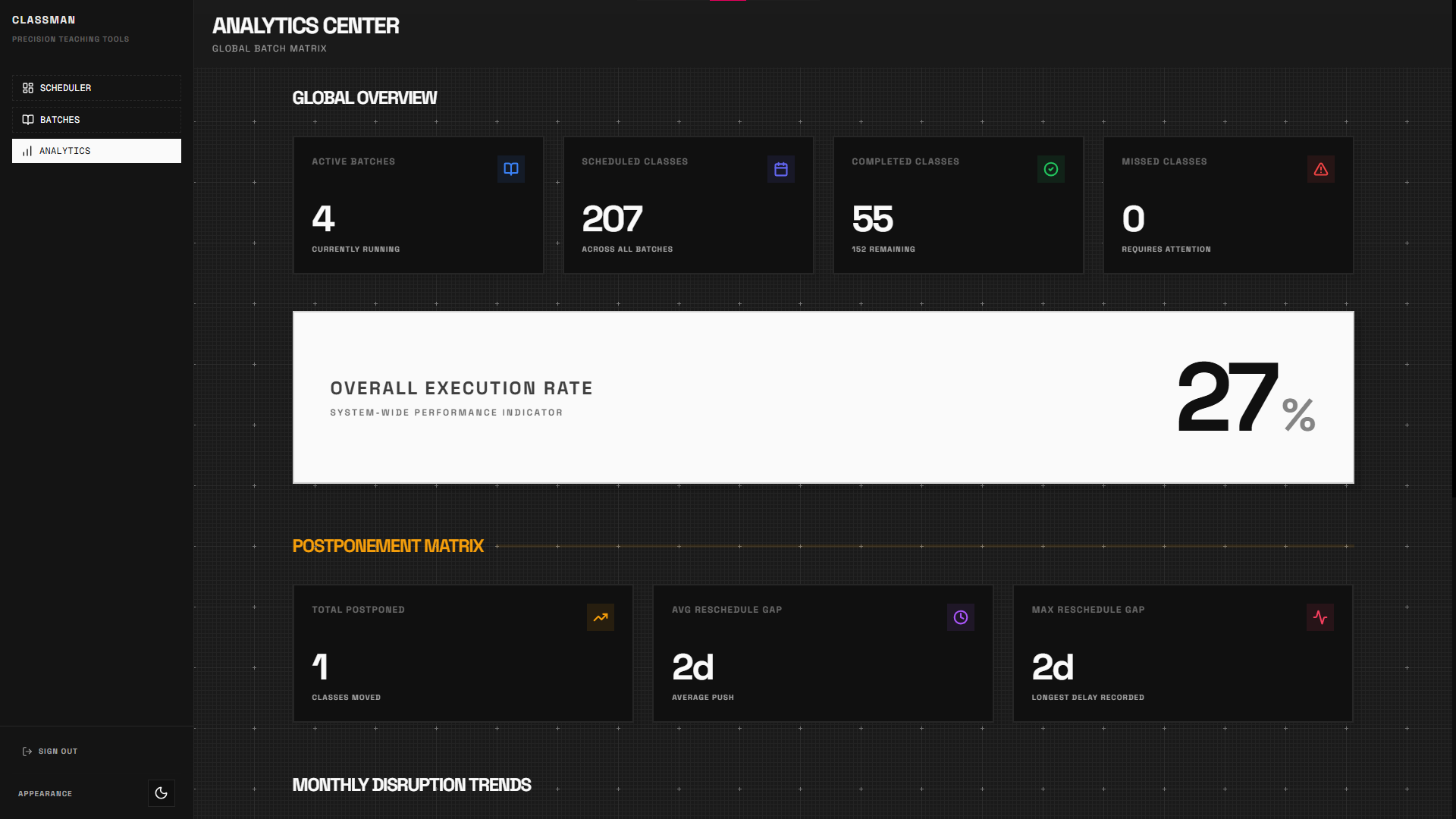
Data‑Driven Insights
Get a bird's-eye view of your entire teaching operation. Track overall execution rates, identify postponement patterns, and diagnose per-batch performance with a no-nonsense analytics dashboard.
- Global execution rate indicator
- Postponement matrix with delay stats
- Monthly disruption trend heatmaps
- Per-batch completion diagnostics
Gallery
Every View.
Dark & Light UI
Screenshots perfectly adapt to match the inverse of your current theme. Toggle the app theme above.
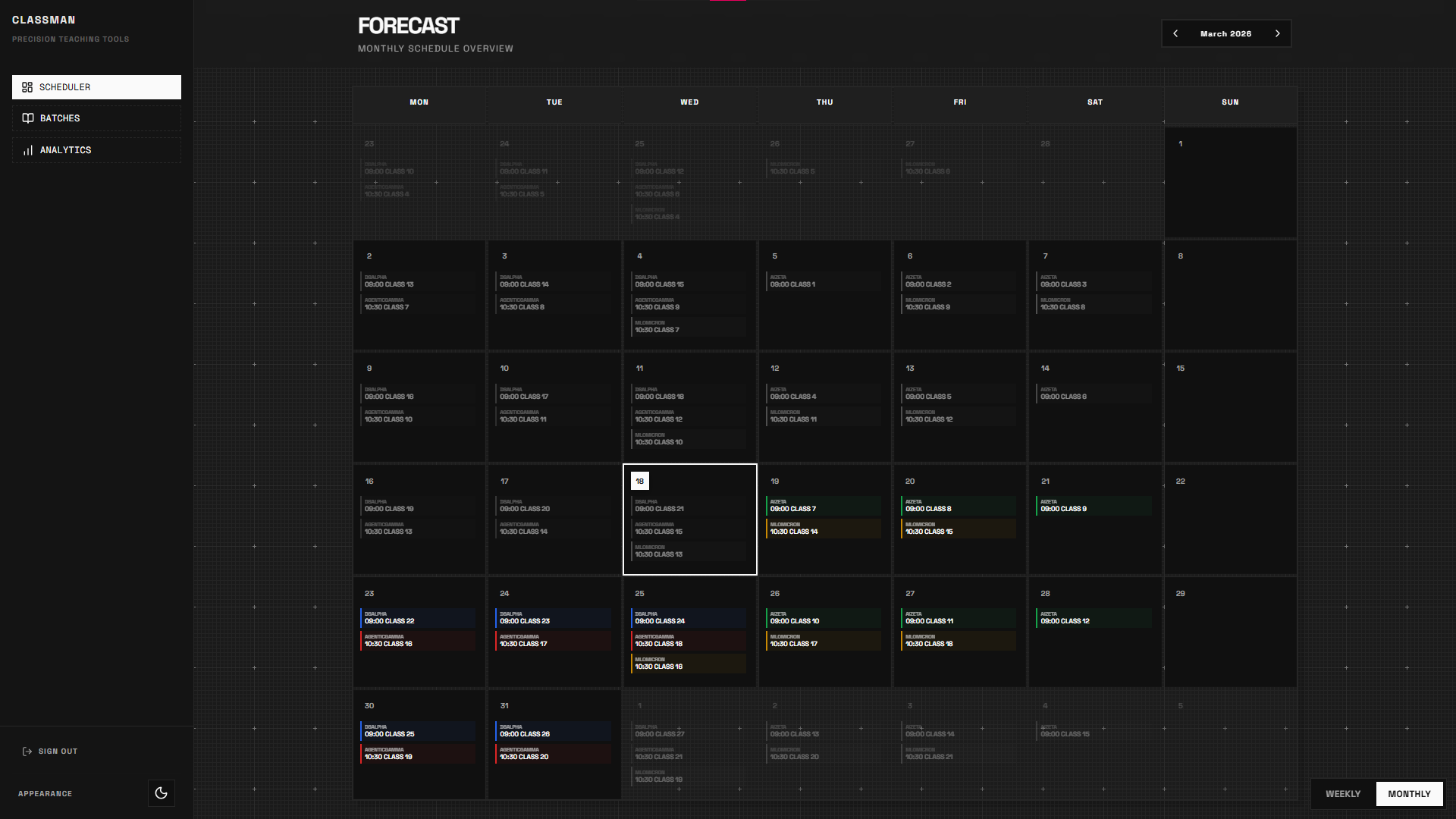
Monthly Forecast
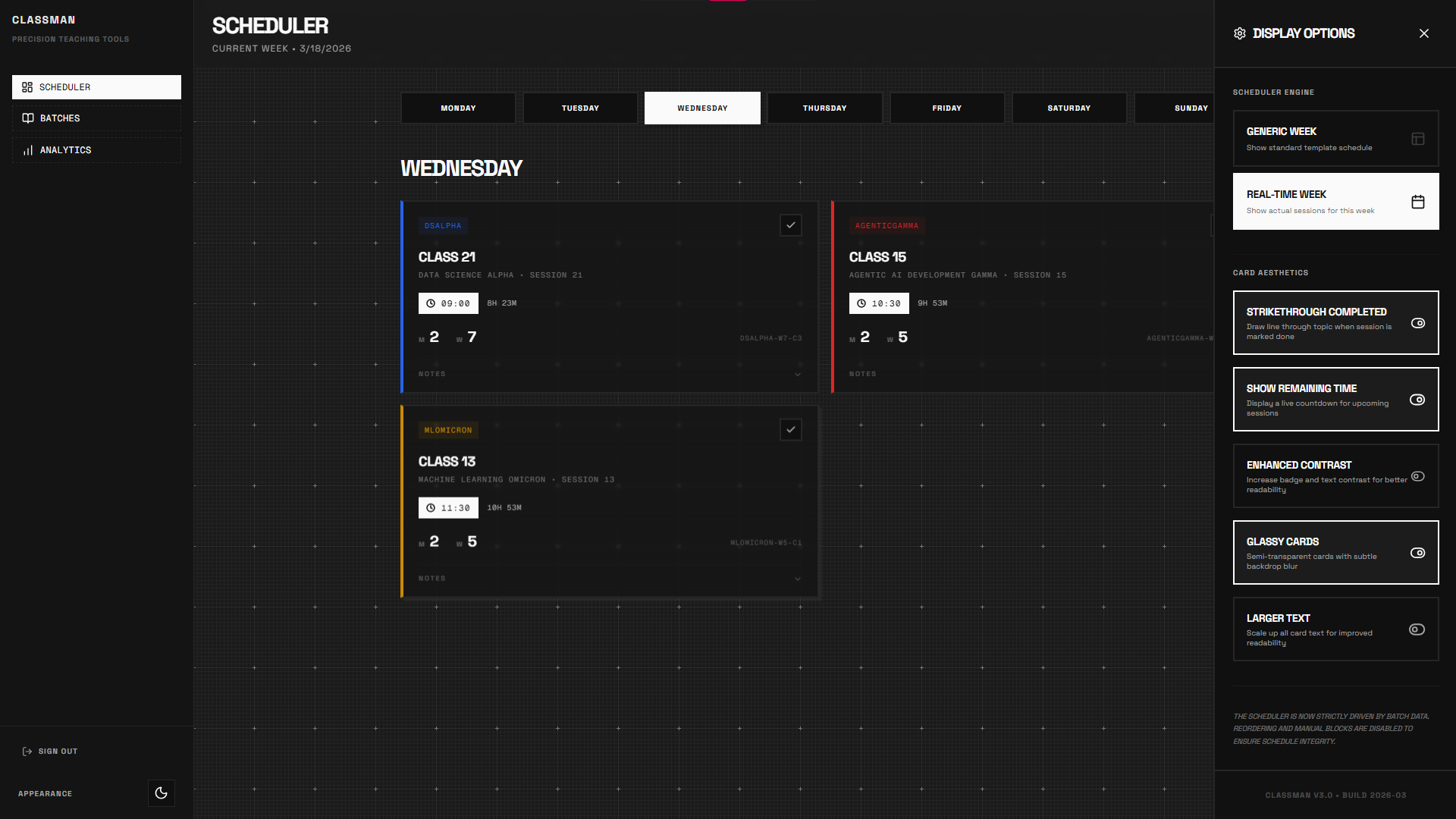
Display Options
Ready to start?
Take Control
Start Today
Gain a tactical edge with clear schedules, zero-confusion tracking, and real insights into your teaching performance.
Launch Classman